REVIEW · NEW YORK CITY
NYC: See Yourself on a Times Square Billboard for 24 Hours
Book on GetYourGuide →Operated by Welcome to Times Square · Bookable on GetYourGuide
One minute you’re walking around Times Square, the next you’re on a billboard. This experience lets you upload a photo or video and watch it play for 15 seconds every hour for 24 hours in the center of the Crossroads of the World.
Two things I really like: the heart-of-Times-Square location (above the Pele store, across from the TKTS red steps) and the fact you’re not just aiming for one quick moment—you get a full day of chances to catch it, plus a live stream for friends watching from home. One drawback to think about: Times Square glare can make the image harder to spot at certain angles, so in-person watching can be more reliable than just checking from a distance.
In This Review
- Key Things To Know Before You Go
- Your Times Square Billboard Moment, in Plain Terms
- Finding the Billboard at 1560 Broadway (and Not Losing Time)
- How the 24-Hour Schedule Actually Works
- Uploading Your Photo or Video Without Losing Your Slot
- Custom Frames and Text: Turning a Photo Into a Message
- The Content Rules (So Your File Gets Approved)
- Seeing It In Person: What You’ll Notice When You’re There
- Watching the Live Stream Online (For Friends Far Away)
- Price and Value: Why $150 Can Make Sense
- Best Fit: Who Should Book This
- Small Logistics That Can Save You Hassle
- Should You Book It?
- FAQ
- Where is the billboard located?
- How long will my photo or video be shown?
- How do I choose my time slot?
- Can I change my photo or video after purchase?
- What types of content are not allowed?
- Is there a cancellation option and can I pay later?
Key Things To Know Before You Go
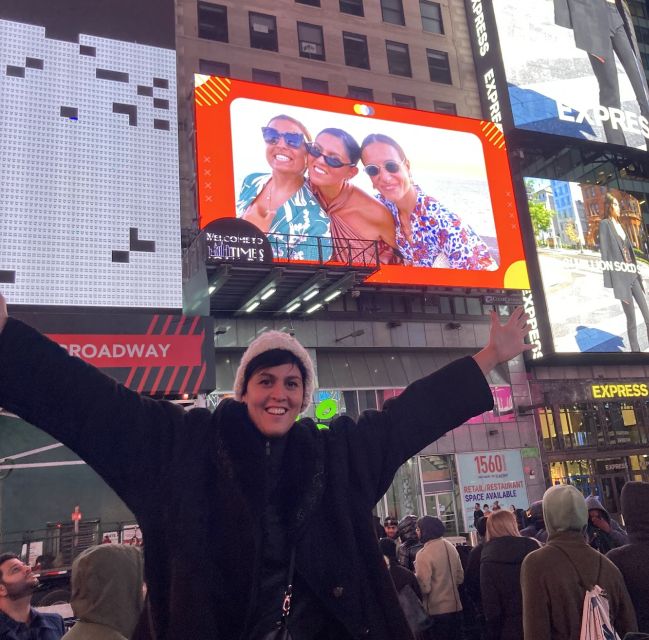
24-hour run, hourly playback: your photo/video shows for 15 seconds every hour.
Custom frames + short text: you can add a message line and choose a frame style.
Slot timing depends on upload: the time isn’t truly locked until you submit your file.
Content rules are strict: no watermarks, brands/logos, nudity, smoking, or vulgarity.
Watch in person or online: you can see the billboard live and also view the online stream.
Good odds of seeing it: you’re guaranteed 22 showtimes within the 24 hours if technical issues happen.
Your Times Square Billboard Moment, in Plain Terms
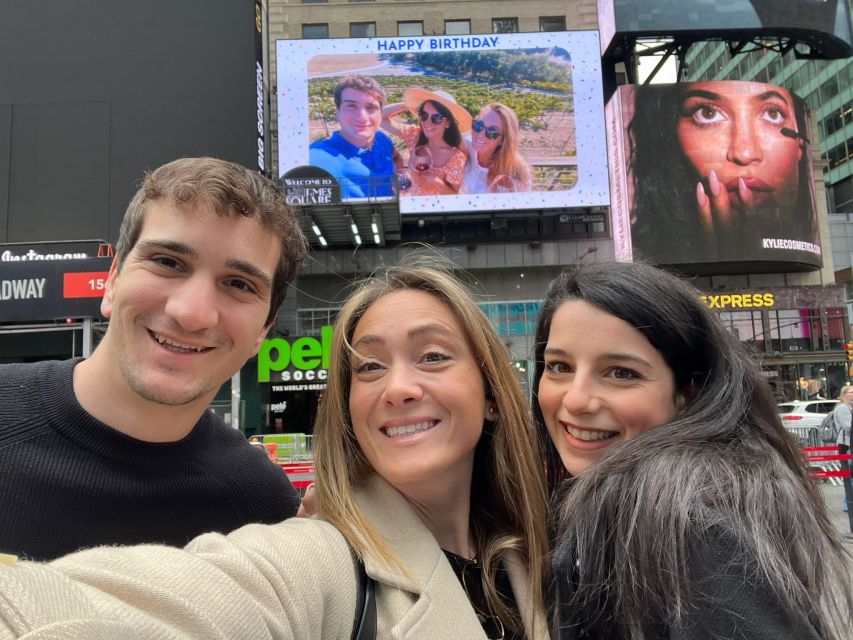
This is basically a “recognition on demand” experience—New York style. You choose a date, upload a photo or video, and then your image appears on a large billboard in Times Square. It’s not a backstage media shoot. It’s not a private event. It’s you (or your group) riding the same big screen that thousands of people pass every hour.
For special occasions, that matters. A birthday is one day. A billboard is a loop. Your photo/video is scheduled to show 15 seconds each hour for 24 hours, so it doesn’t feel like you’re rushing to hit one perfect minute.
If you’ve ever been stuck in the “I wish someone could photograph this right” mindset, this flips it. The billboard becomes the photo. You’re creating a New York keepsake that others can also see—especially if you share your assigned time slot so friends can watch the live stream.
You can also read our reviews of more tours and experiences in New York City.



Finding the Billboard at 1560 Broadway (and Not Losing Time)
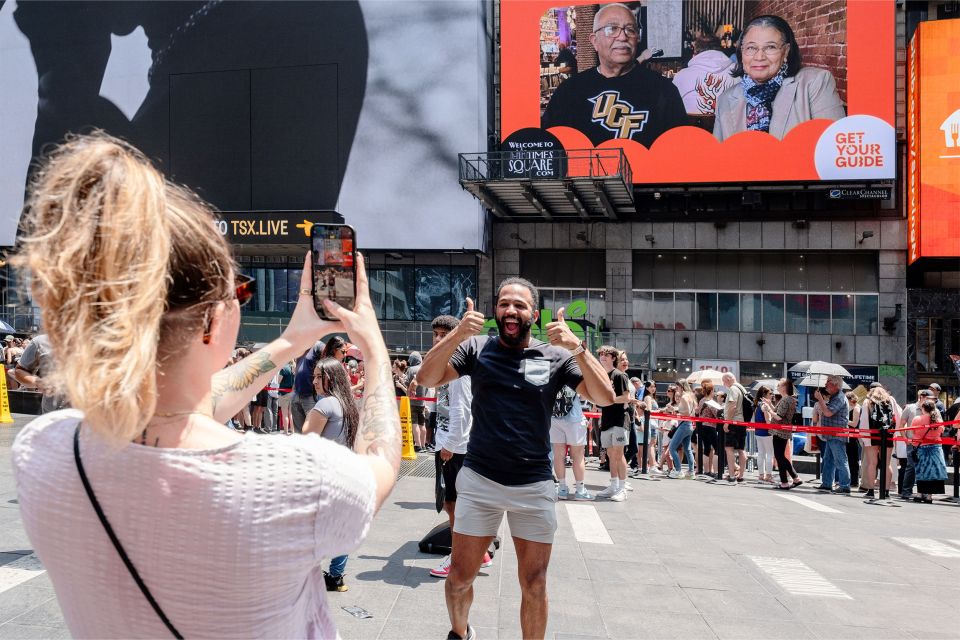
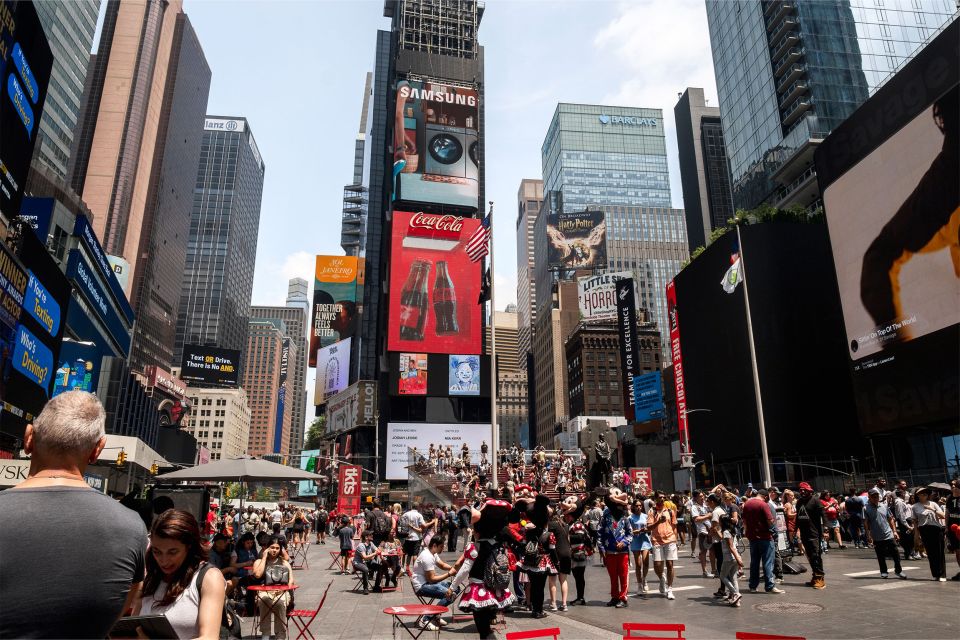
The meeting point is specific: the billboard is at 1560 Broadway between 46th and 47th St. You’ll find it above the Pele store, and it’s directly across from the TKTS red steps.
That location is both a blessing and a small stress test. Times Square is crowded, signage is everywhere, and it can take a minute to orient yourself. The good news is the landmark pairing is clear: Pele store up top, TKTS steps across the street. Once you spot it once, you’ll be able to repeat the pattern easily later.
Practical tip: if you’re trying to catch your image in person, plan to arrive a little early and get your bearings. With hourly playback, you’re not sprinting to a single second, but you also don’t want to spend your whole slot hunting for the right building edge.
How the 24-Hour Schedule Actually Works
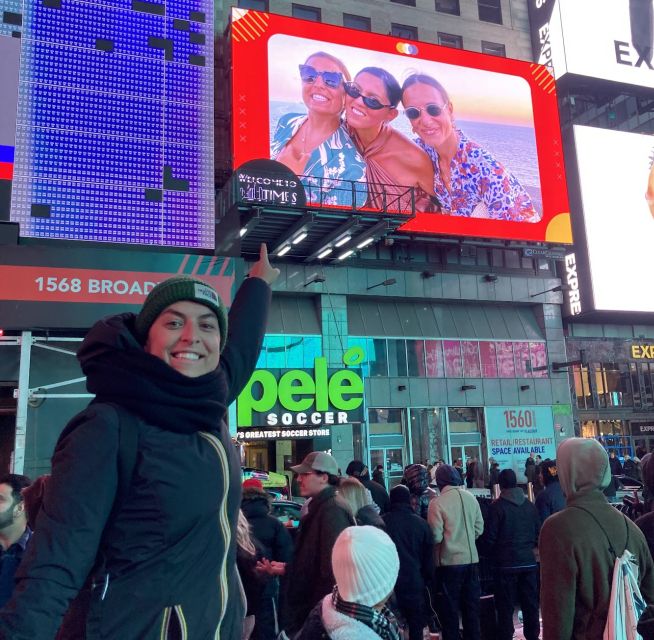
Here’s what you’re paying for, in the clearest terms: your photo/video runs for 24 hours on the selected date. It plays for 15 seconds each hour, which means there are many chances to see it.
The setup also includes a safety net: you’re guaranteed 22 showtimes within the 24 hours if there are technical difficulties. So even if something hiccups, it’s not an “all or nothing” deal.
You’ll receive a confirmation with your assigned time slot within 24 hours. That time slot is what you share with friends and family so they can watch the live stream online.
Two timing realities to keep in mind:
- Your slot isn’t reserved until you upload your photo/video, so don’t take forever to submit.
- There’s no point waiting for a last-minute perfection pass, because the schedule depends on you locking in the correct file before the cutoff.
Uploading Your Photo or Video Without Losing Your Slot
The experience runs on your file. That sounds obvious, but it’s the most important part of making this work smoothly.
After purchase, you use the code you get immediately to upload. The big rule: your time slot isn’t truly locked until you submit your photo/video. If you’re traveling with spotty Wi‑Fi or you’re still deciding what image to use, you’ll want to handle that upload as soon as you can.
You can change your photo/video later, but only under specific conditions:
- You can change it as long as it’s requested 24 hours in advance of the display date.
- You can change it only if your photo/video has not already been displayed on the billboard.
So, if you upload early and double-check your file, you reduce the odds of frustration. One useful lesson from real-world issues people ran into: if the wrong video gets uploaded, it may be fixable—but it’s far better to prevent the mishap.
Custom Frames and Text: Turning a Photo Into a Message
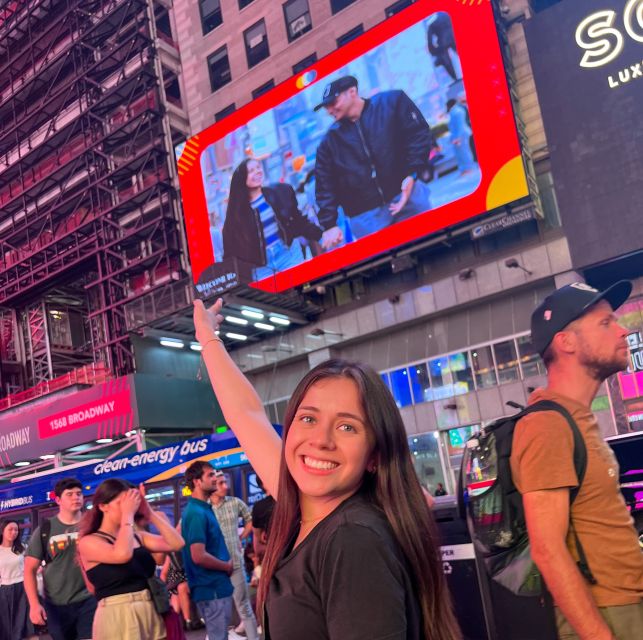
This isn’t just a blank rectangle. You can choose a custom frame for display and add a short line of text.
Frame options include standard styles and themed messages like Happy Birthday, Congratulations, and Will you marry me. The ability to add a text line is a big deal. In Times Square, a face is great—but a clear message is even better when people are glancing quickly at the screen between walking and crossing streets.
If you’re doing this for a proposal or a milestone birthday, you’ll probably want the frame/message combo to do some of the work for you. A short line of text gives context instantly for anyone who catches your image for those 15 seconds.





The Content Rules (So Your File Gets Approved)
Before you upload, take the content rules seriously. Files can be denied if they include:
- Watermarks
- Brands or logos
- Nudity
- Smoking
- Vulgarity
Even if you’re sure your image is fine, double-check for hidden issues like a logo in a corner, a watermark from another platform, or a branded caption image. Times Square is loud, bright, and heavily watched—this setup is designed to keep billboard content clean and consistent.
Seeing It In Person: What You’ll Notice When You’re There
When the billboard runs, you’re watching a live show on a massive public screen. That’s the point: it’s not a private slideshow. People can walk by and see your moment, strangers included.
In person, you’ll likely notice:
- You can’t always spot it immediately because Times Square is visually busy.
- The billboard plays in 15-second bursts, so you want to stay put for a little while rather than popping in and out.
There’s also a small reality about viewing angles and glare. Even if the board is bright, reflective light can make the image harder to confirm at certain distances. One practical takeaway: if you want the best confirmation that it’s actually your photo/video, plan to watch from a spot closer to the billboard and line up with the viewing area you can access.
Some people love the surprise element of waiting and then catching the playback. Others treat it like a schedule they’ll return to during the day. Either way, it’s short bursts across a full day—so you can choose how much time you want to spend standing in Times Square waiting.
Watching the Live Stream Online (For Friends Far Away)
This experience isn’t just for the person standing in the crowd. You can watch the billboard stream online, and friends/family can follow along using your assigned time slot.
This part matters if you’re celebrating with people who can’t travel. You’re not just creating a memory for you—you’re making a shared “watch moment” that others can join.
If your time slot is, say, late morning for you, it might be an odd hour somewhere else. Still, the built-in idea of sharing your time helps turn your trip into something your network can actually see.
Price and Value: Why $150 Can Make Sense
At $150 per person, this isn’t a casual add-on. So the only fair question is: does it feel worth it to you?
Here’s where the value comes from:
- You get repeated visibility: your photo/video shows hourly for 24 hours, not once.
- It’s in the real Times Square core: this is a high-demand, high-visibility location.
- You can personalize it: custom frame + text turns it into a clear milestone message.
- Your social proof is built in: you can share the time slot and the live stream.
Does the experience feel like a “bargain”? Not really. Does it feel like a special-occasion splurge that delivers a very specific outcome? Yes—especially for birthdays, graduations, sweet 16-style milestones, and proposals.
A balanced warning: a few people wished the playback duration were longer than 15 seconds. That’s the trade-off—your moment is frequent, but brief. If you’re hoping for a long video play, this format isn’t built for that.
Best Fit: Who Should Book This
This works best if you want a Times Square souvenir that’s unmistakably about you. It’s especially well-suited for:
- Big birthdays and milestone ages
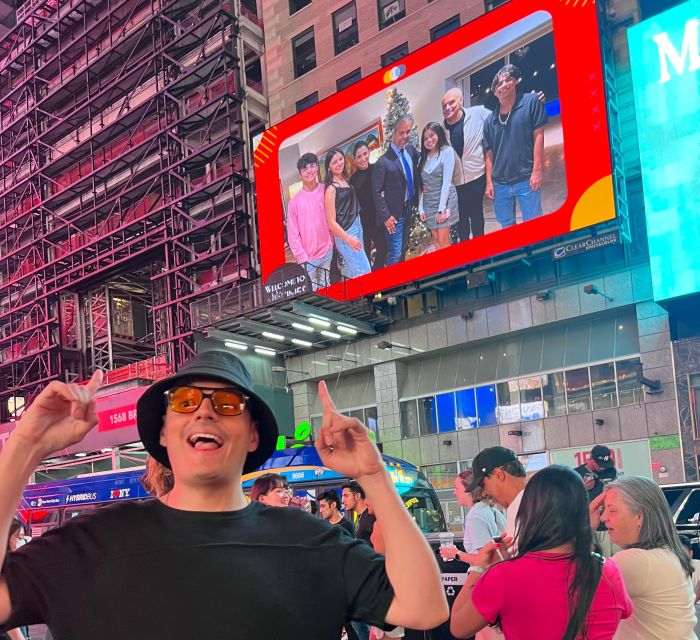
- Family photos where multiple faces matter
- Surprise moments that kids and teens can react to in real time
- Proposals or relationship announcements, since the frame options include proposal-style messages
It might be less ideal if:
- Your group hates crowds or standing and waiting in a very busy area
- You need a long, uninterrupted video segment (15 seconds is the design)
- You’re the type who doesn’t want to plan around an hourly schedule
Small Logistics That Can Save You Hassle
Here are the practical things I’d do to keep this smooth:
- Upload early so your time slot is reserved.
- Double-check your exact file before you submit. If something goes wrong, corrections can take effort.
- Plan for waiting. The board shows for 15 seconds each hour, so you’ll likely want to hang around near the meeting point area rather than wander constantly.
- Confirm dates carefully when you receive your documentation. People have run into date mismatches between what different messages showed, so treat the final display date as the thing to verify.
Should You Book It?
If you’re celebrating something that deserves a “wow, we did that in Times Square” moment, I think this is a very doable splurge. The combination of a prime location, repeated hourly showings, and easy sharing via the live stream makes it feel like more than just a photo gimmick.
But if you’re expecting a long cinematic screen time or you dislike crowds and waiting, the format may feel too short and too chaotic. Decide based on your personality: do you want frequent 15-second fame for a full day, or do you want one long, controlled production moment?
If your goal is genuine surprise and a clean, personal message in the middle of New York, this hits the mark.
FAQ
Where is the billboard located?
The billboard is at 1560 Broadway between 46th and 47th St., above the Pele store and directly across from the TKTS red steps.
How long will my photo or video be shown?
Your photo or video displays for 15 seconds every hour for 24 hours on your selected date.
How do I choose my time slot?
After purchase, you upload your photo/video. Your slot isn’t reserved until you submit your file, and you’ll receive confirmation of your assigned time slot within 24 hours.
Can I change my photo or video after purchase?
Yes. You can change your photo/video at any time as long as it’s requested 24 hours in advance of the display date and your photo/video has not been displayed on the billboard.
What types of content are not allowed?
Files may be denied if they include watermarks, brands or logos, nudity, smoking, or vulgarity.
Is there a cancellation option and can I pay later?
You can cancel up to 24 hours in advance for a full refund. You can also reserve now and pay nothing today (pay later).